
Traffic Dodge
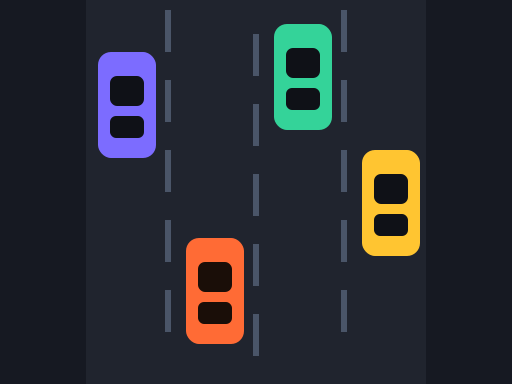
Weave through four lanes of traffic at speed and drive as far as you can.
Traffic Dodge · Racing · 4 plays
🎮You May Also Like






About Traffic Dodge
Four lanes of highway, traffic coming at you, and no finish line. You steer between lanes to avoid the cars ahead and the run ends the moment you clip one. Distance is your score.
The twist is that you control the throttle. Your car accelerates on its own, slowly, and you can push it faster or ease off. Going faster covers ground quicker but shortens the time you have to read the lane ahead — and the cars you are overtaking do not all move at the same speed, so gaps close in ways that are not obvious at a glance.
Close overtakes score bonus distance. Passing a car in an adjacent lane rather than swinging wide adds to your total, which means the safe line and the high-scoring line are not the same one.
How to Play Traffic Dodge
- Press Start. Your car begins in the second lane and accelerates gradually on its own.
- Change lanes to avoid the traffic ahead. Touching another car ends the run immediately.
- Distance is your score. Speed increases the rate you cover ground, and the readout shows your current speed.
- Passing a car in a neighbouring lane counts as a close overtake and adds bonus distance. The count is shown when the run ends.
- Your best distance is stored in your browser.
Controls
Desktop: change lanes with the ← → arrow keys or A and D. Hold ↑ or W to accelerate harder and ↓ or S to slow down. Each press moves exactly one lane — the car slides across smoothly rather than teleporting, so a change takes a moment to complete.
Mobile and tablet: swipe left or right to change lane. You can also simply tap the left or right half of the screen. Throttle is automatic on touch, so you only steer.
Because lane changes are animated rather than instant, committing to a lane while a gap is closing is a real decision — you cannot change your mind mid-slide.
Tips and Tricks
- Stay in the middle two lanes. From an outside lane you can only move one way. From the middle you always have two escape routes.
- Look two cars ahead, not one. At speed the car you are avoiding is already committed — what matters is the one behind it.
- Ease off before a cluster. Slowing down costs a little distance and buys a lot of reading time. It is nearly always worth it when three lanes are occupied.
- Take close overtakes when the lane beyond is clear. The bonus is real, but only worth it if you have somewhere to go afterwards.
- Do not commit late. Lane changes take time to complete. Starting one as a gap closes is the most common way runs end.
Frequently Asked Questions
How is my score calculated?
By distance travelled in metres, plus a bonus for each close overtake — passing a car in a neighbouring lane rather than swinging wide.
Can I control my speed?
Yes on desktop, with the up and down arrows or W and S. Your car also accelerates slowly on its own. On touch devices the throttle is automatic.
How many lanes are there?
Four. Lane changes are animated rather than instant, so you cannot reverse a change once it has started.
Does the game ever end on its own?
No. It is endless — the run only stops when you hit another car.
Is my best distance saved?
Yes, in your browser. It survives a refresh but resets if you clear site data.
Last updated 2026-09-08 · More Racing games